
Imagine this: You’re all set to give a killer presentation using your Windows 10 laptop, but the projector in the conference room is ancient. Or maybe you’re itching to share those hilarious vacation videos with your family, but crowding around a small laptop screen just won’t cut it. Enter the Miracast dongle, your pocket-sized solution to wirelessly streaming your Windows 10 screen to any TV with an HDMI port. This article dives into the world of Miracast dongles, helping you navigate the options and find the perfect one to seamlessly share your digital world.
What is Miracast and Why Should You Care?
Miracast is a wireless technology that allows you to mirror the display of your Windows 10 device (and other compatible devices) onto another screen, such as a TV or monitor, without the need for cables. Think of it as a direct Wi-Fi connection between your devices, specifically designed for screen sharing. Why is this a game-changer? It offers unparalleled freedom and flexibility. No more fumbling with HDMI cables, worrying about projector compatibility, or squinting at a small screen. With a Miracast dongle, you can effortlessly stream presentations, movies, games, and more, transforming any TV into a smart display.
Choosing the Right Miracast Dongle: Key Features to Consider
Not all Miracast dongles are created equal. Before you make a purchase, consider these crucial factors:
Video Resolution and Quality
Look for dongles that support 1080p or even 4K resolution for a crisp, clear viewing experience. This is especially important if you’re streaming high-definition movies or giving presentations with detailed visuals.
Dual-band Wi-Fi
Opt for a dongle with dual-band Wi-Fi (2.4GHz and 5GHz) support. This ensures a stable and less congested connection, crucial for smooth, lag-free streaming, especially in environments with multiple Wi-Fi devices.
Compatibility
Ensure the dongle is explicitly compatible with Windows 10. While most modern dongles are, double-checking compatibility will save you potential headaches down the line.
Setup and Ease of Use
The ideal Miracast dongle should be plug-and-play. Look for devices with straightforward setup procedures and intuitive interfaces for a hassle-free streaming experience.
Security
Consider dongles with built-in security features, such as WPA2 encryption, to protect your connection and prevent unauthorized access to your streamed content.
Top Miracast Dongles for Windows 10
Here are some highly-rated Miracast dongles that have consistently impressed users:
Microsoft Wireless Display Adapter
This first-party offering from Microsoft provides reliable performance and seamless compatibility with Windows 10 devices.
Actiontec ScreenBeam Mini2
Known for its ease of use and compact design, the ScreenBeam Mini2 is a popular choice for wireless streaming.
AnyCast M9 Plus
This budget-friendly option offers decent performance and supports a wide range of devices, making it a good value for money.
Roku Streaming Stick+
While primarily a streaming device, the Roku Streaming Stick+ also supports screen mirroring from Windows 10 devices, offering a versatile solution for both streaming and screen sharing.
Amazon Fire TV Stick 4K Max
Similar to the Roku, the Fire TV Stick 4K Max allows for screen mirroring alongside its primary streaming function, providing excellent image quality.
Setting Up Your Miracast Dongle on Windows 10
Setting up a Miracast dongle on Windows 10 is generally a simple process:
- Plug the dongle into the HDMI port of your TV or monitor.
- Power on the TV and select the correct input source.
- On your Windows 10 device, press the Windows key + K to open the “Connect” pane.
- Select the name of your Miracast dongle from the list of available devices.
- Follow the on-screen prompts to complete the connection process.
Troubleshooting Common Miracast Issues
While Miracast is usually straightforward, you might encounter some hiccups along the way. Here are some common issues and solutions:
No Signal or Connection Problems
Ensure both your Windows 10 device and the Miracast dongle are connected to the same Wi-Fi network. Try restarting your devices or checking for driver updates.
Lagging or Choppy Video
Try moving closer to your router or switching to the 5GHz Wi-Fi band for a more stable connection. Closing unnecessary applications on your Windows 10 device can also help free up resources for smoother streaming.
Audio Issues
Ensure that the audio output on your Windows 10 device is set to the Miracast dongle. Check the volume levels on both your device and the TV.
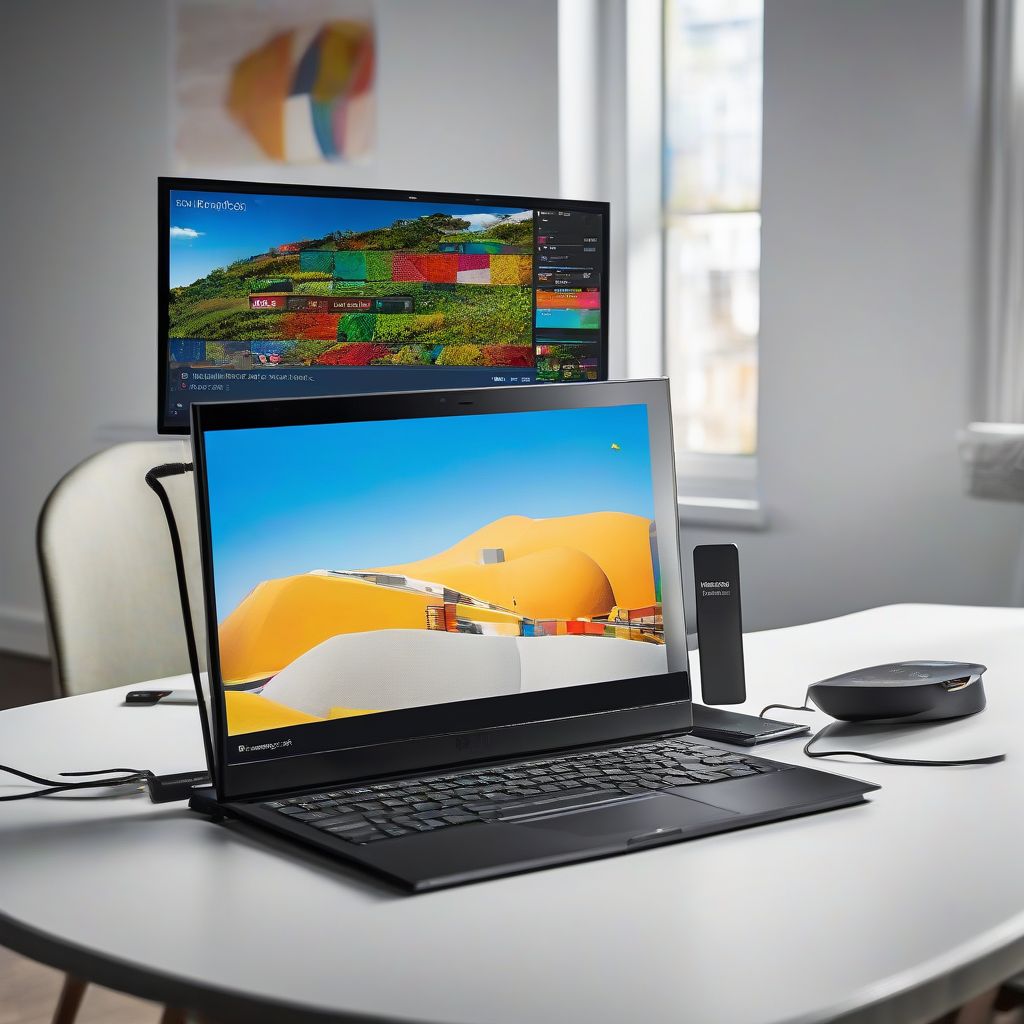
Miracast Dongle Connection to Windows 10 Laptop
- Effortless Wireless Streaming - Wirelessly projecting your favorite content from your phone, tablet, or laptop to the big screen. The ScreenCast Wireless Display Adapter supports Miracast and AirPlay, ensuring seamless compatibility with devices like Windows laptops, MacBooks, iPhones, iPads, and Android devices (Note: Not compatible with Chromebook). Experience freedom from cables and enjoy the convenience of instant screen sharing.
- Compact Design, Maximum Portability - Take your presentations or entertainment anywhere with this lightweight and portable wireless HDMI display adapter. Whether you're in the office, at home, or on the go. Perfect for conference rooms, multimedia learning, or creating a cinematic experience at home.
- 💎【Seamless HD Wireless Streaming】Wireless HDMI display dongle adapter supports 4K decoding and delivers an impressive 1080P Full HD output.The miracast dongle allows you to synchronise the small screen of your smartphone, tablet, laptop, computer to the big screen of your TV, HDTV, monitor, projector without cables, and share every vivid moment with your family.
- ✅【Wireless Screen Mirroring and Extension Modes】This HDMI Wireless Extender supports Airplay images of iOS/MAC systems, and Miracast standard protocols of Android/Windows systems. The wireless display adapter supports with iPhone, Android, laptops, tablets. The screen can be freely switched between horizontal and vertical modes. Enjoy convenience experience via wireless hdmi display adapter dongle!
- 【4K Wireless Streaming: From Small to Large Screen】Experience seamless wireless mirroring of 4K UHD video, audio, office docs, and more—no messy cables needed! Easily share files, photos, and videos from your phone, laptop, or tablet to any HDMI-equipped TV, monitor, or projector. Perfect for business presentations, family movie nights, meetings, and exhibitions.(
- 【3 Casting Modes + Effortless Setup】Supports 3 versatile modes: AirPlay (iOS/Mac), Miracast (Android/Windows), and DLNA (router network). True plug-and-play—no apps, Bluetooth, or complex software required. Simply plug into your TV’s HDMI port, power via 5V/2A USB (TV or adapter), and follow on-screen prompts to connect. Dual-band (2.4G/5G) ensures flexible, hassle-free pairing.
- Wirelessly display content from a phone, tablet, or laptop onto a bigger screen with the ScreenCast 4K Wireless Display Adapter. Note: Please use this wireless display adapter in the same room to prevent signal obstruction by walls. Wireless transmission distance of up to 50 ft./15m in an open environment
- With its support of multiple wireless display standards (Miracast, AirPlay, and Chromecast), this wireless display adapter is compatible with devices and TVs you already own, including Windows, macOS, iOS, Android and other cast compatible laptops, tablets, and mobile phones.
- 【5G /4K】This Wireless HDMI Display Dongle Adapter features upgraded 5G WiFi technology and an advanced smart chip, enhancing transmission stability. The wireless HDMI display dongle adapter supports 4K high-definition output, providing smooth image quality with reduced lag and signal interference for a superior visual experience.
- 【Screen Mirroring/Extension Modes】I-os wireless hdmi display adapter has mirroring and extension functions, miracast wireless display adapter allowing you to project the content from devices as phones, laptops, cameras, and cable TV set-top boxes onto high-definition TVs, projectors, and displays, screen mirroring adapter for tv provides a versatile application experience. Enjoy convenience experience via display dongle adapter!
- Wireless HD Display Adapter: SmartSee 2.4G Wireless HD Display Adapter enables seamless 1080p screen mirroring. Wirelessly mirror the screen of your smartphone, tablet, laptop, or PC to any HD display, including TVs, monitors, or projectors. Share everything from photos and videos to apps, games, documents, and websites — making your TV a smart TV without any cables.
- SYSTEM REQUIREMENTS: All-In-One. Supports Android 4.4+, iOS 9.0+, MacOS 10+, and Windows 8.1+ operating systems through Airplay, Miracast, and DLNA protocols. Supports YouTube, TikTok, Facebook, Twitter, and most online video apps for smooth wireless display. NOTES: 1. Not compatible with copyright-protected apps such as Netflix, Hulu, HBO, Amazon video, etc. 2. Android and Windows devices must be Miracast supported. 3. Not compatible with Google Pixel or Motorola phones.
- PLUG & PLAY: AIMIBO Wireless Display Adapter instantly mirrors screens from iOS/Mac/Android/Windows—no apps, WiFi or Bluetooth needed. Just plug in HDMI + power to cast your phone/laptop to big screen
- Dual Modes - Direct & DLNA: Tap Screen Mirror to cast instantly from AIMIBO Miracast dongle, or switch to WiFi-based DLNA for flexible casting. Switch modes on the wireless HDMI adapter to cast screens seamlessly
- ✅ Wireless HD Display Adapter: Project photos, videos, broadcasts, music, office documents (word, excel, ppt), real-time cameras, online chats, movies, games, etc. on mobile phones and tablets to large screen TVs or HD displays such as monitors or projectors, across the limitations of small screens, bring work and entertainment to the big screen!
- ✅ 5G/2.4G Dual Band & 4K/1080P: Equipped with dual core chips which ensures stable working. Dual decode H.265/HEVC to decode 1080P and 4K resolution video sources. 2.4G and 5G dual band ensures stable transmission. High image quality and Excellent running performance.
- 【True 4K Input & Output】AIMIBO wireless display adapter delivers genuine 4K input and output—not just 1080p upscaling or limited 4K decoding. Experience end-to-end native 4K resolution that preserves vivid colors, sharp details, and crystal-clear imagery. Perfect for presenting high-resolution designs, s*treaming 4K HDR movies, or playing graphics-intensive games—every pixel is rendered with stunning accuracy for a truly immersive viewing experience.
- 【Wide Device Compatibility】Our Miracast adapter works seamlessly with i-Phone 17 and earlier models, i-Pad, MacBook, Windows PCs, and Android phones, wirelessly mirroring your screen to TVs, monitors, or projectors. This upgraded HDMI dongle supports direct mirroring with i-Phone 17—no online updates required. Ideal for meetings, movie nights, classrooms, or presentations, it ensures stable, hassle-free screen sharing across all your devices.
- 【ENJOY 4K ULTRA HD & HDR SCREEN】Drymokini wireless HDMI dongle delivers stunning 4K ultra-clear visuals, supporting resolutions up to 4K x 2K at 30Hz, 1080P at 60Hz, 1080P at 30Hz, and 3D/720P. Effortlessly sync your phone, laptop, or tablet to your TV, projector, or monitor for an immersive movie experience. Share unforgettable entertainment moments with family and friends.
- 【PLUG AND PLAY】With Drymokini wireless display adapter, enjoy a hassle-free setup. Just plug it in to TV and power it via your TV's USB port. Activate the Miracast function on your device and select AMB-xxx—no additional settings, apps, or drivers required. Instantly start casting movies, presentations, and more for classrooms, meetings, hotel stays, and store showcases.
Beyond Streaming: Unlocking the Potential of Miracast
Miracast offers more than just casual entertainment. It can be a powerful tool for presentations, educational purposes, and even gaming. Imagine delivering a dynamic presentation without the constraints of cables or transforming your living room into a big-screen gaming arena. Miracast empowers you to share your digital world effortlessly.
Conclusion
Choosing the right Miracast dongle can significantly enhance your Windows 10 experience, opening up a world of wireless streaming possibilities. By carefully considering the factors outlined in this article and exploring the recommended options, you can find the perfect dongle to seamlessly share your content and unlock the full potential of your devices. Do you have any experiences with Miracast dongles you’d like to share? Let us know in the comments below! We’d love to hear from you and learn about your favorite streaming setups. And don’t forget to share this article with anyone who might be looking to upgrade their viewing experience.
